Interface Details
Deletion area
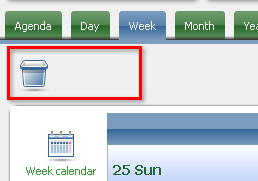
Marked with a trash-can icon, this is the fast way to delete an event: drag its event frame here and drop it. Available in every view that shows event frames — Day, Week, and Month.
Time panel
Labels the time of day each row represents, in Day and Week view. A few different label types appear, each meaning something slightly different:
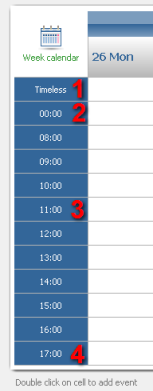
- "Timeless" — marks the row holding events with no specific start/end time. Appears once, at the top of the panel.
- The label right after "Timeless" marks the row holding events that happen before the day's configured start time (set in Options). There's always exactly one, placed between "Timeless" and the standard time labels.
- Standard time labels — each spans the same interval (one hour by default, configurable in Options). An event longer than one interval spans multiple cells.
- The label at the very end of the panel marks the row holding events after the day's configured end time (also set in Options). There's always exactly one.
Small calendar
Useful for jumping to a date, month, or year outside the current view.
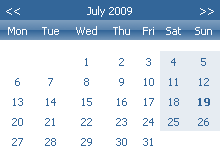
The month overview picks a day — click a date to select it. To browse a different month, use the arrows in the top corners of the small calendar, or switch to the year overview and click a month directly (click the month name to get there).
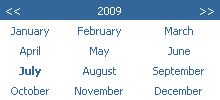
The year overview picks a month — click its name. Use the arrows in the top corners to move between years, or click the year name to open the decade overview for a wider range.
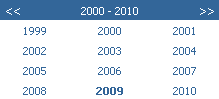
The decade overview shows ten consecutive years — click one to select it, or use the arrows to move to the next or previous decade.