Watchdog
Watchdog notifies you when other users change a record you're watching.
Watching a record
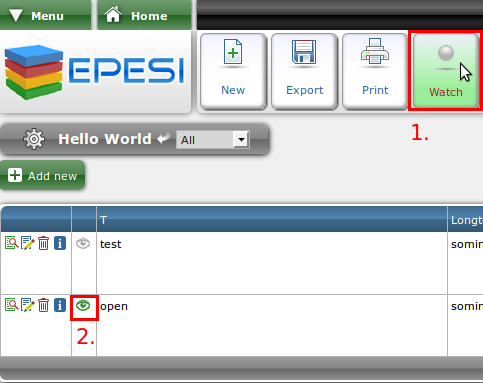
Open the module you want to watch — for example, Menu → Module → HelloWorld from the Hello World tutorial — and either click the watch button to watch the whole module (1), or click the watchdog icon on an individual record to watch just that one (2). Click Stop Watching to undo either.
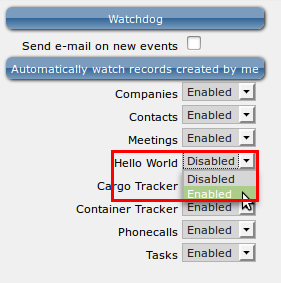
To also see watched changes in the Watchdog applet, go to Menu → My Settings → Control Panel → Watchdog and set the module to Enable.
Getting notified
Once a record exists, you can assign employees to watch it.

Make sure each watching employee also has the module enabled in their own Watchdog configuration, as above — otherwise assigning them won't notify them.

From then on, whenever the employee changes the record, you're notified too.

Watchdog toolbar
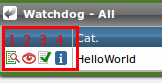
- View — opens the full record.
- Watchdog icon — stops watching this record. Click it again from within the module to resume.
- Mark as read — removes the record from the watchdog list. You'll still be notified about any further changes.
- Information icon — hover to see the old and new value of the field that changed.
Watchdog configuration
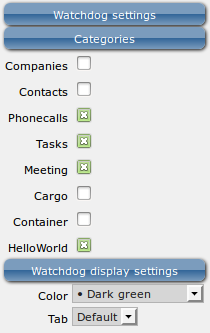
Every applet has its own Watchdog configuration screen, where you can check or uncheck each recordset you want to watch.