Phone Calls
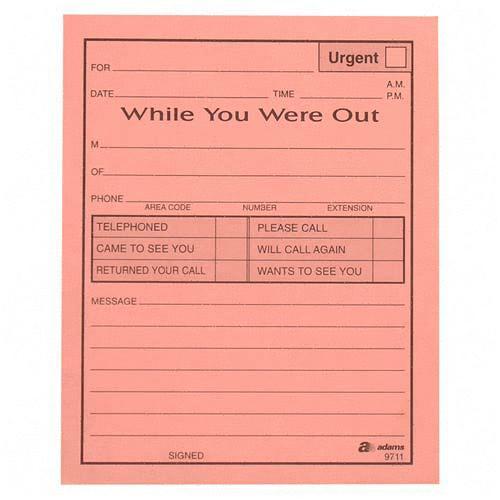
The Phone Calls module is Epesi's version of a "While You Were Out" message pad — but automated and permanently attached to the caller's record, instead of a paper slip that can get lost.
How it works
Pick a Company and Phone Calls shows only the Contacts at that company; pick a Contact and it shows only the phone numbers on file for them. You can log a call that already happened, or create a reminder to call someone back at a future date and time.
By default, a new Phone Call record is assigned to you, dated now — the assumption is you're reminding yourself to make a call. You can also create one assigned to someone else (or several other employees), for example when logging a message for a colleague.
Each record has a status: open, in progress, or closed. Moving it out of "in progress" lets you choose a follow-up action and add a note. You can attach notes, files, and other records to a Phone Call the same way as any other record type.
Finding your Phone Call records
Epesi normally shows you only records assigned to you. If you created a Phone Call for someone else and can't find it afterward, check the Perspective filter — switch it to All employees to see records assigned to others. Also make sure you're viewing All records rather than Recent or Favorites (Phone Calls only supports All or Recent).
If a customer asks for a callback, assign the record to whoever will be calling back — one person or several. Leaving a record unassigned to any employee is possible but not recommended for this module.
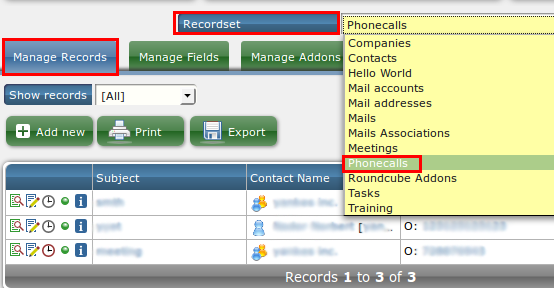
To review every Phone Call ever created, including deleted ones, go to Administrator → Record Browser, select Phone Call from the recordset menu, and open Manage Records. Use the All / Active / Deactivated filter to include or exclude deleted records.